While browsing trough the LG site on Monday for the LG KU250 user manual I got to know that they have released a LGMobile Updater Application for downloading Manual documents(PDF), Software and Phone Firmware Software.
Even though it appeared that the manual for KU250 is not available to download and the PC software version is also a bit older than the one I got on the CD came with mobile I noticed that this software supports firmware upgrading of KU250 to newest firmware. So I decided to do a firmware upgrade to my mobile.
In fact wanting to firmware upgrade despite the possibility of loosing user data such as SMS, Configuration data etc. is another story. The original s/w version available in the mobile was KU250_V10d. But as I have pointed in a previous post this has a problem when transferring files with long file names from a PC. At that time I tried to resolve this with local LG agent and failing to resolve, went ahead with a Full flash myself using LGMDP flashing software (Use LGMDP_Open) and v10c firmware (Credit goes to Dengel) found from some GSM community site. Of course at that time I had to try two or three times with a great risk of ending up with a bricked phone before getting the mobile flashed correctly. Even though this freed up blocked memory due to files transferred to phone, J2ME engine in v10c had some issues that prevent normal operation of Opera Mini 4 browser.
That is the story of my previous experience of flashing KU250. This time with new LGMobile Updater Application it seemed that the firmware is an straight forward operation. I removed MicroSD, SIM and connected phone using normal data cable and selected Start Upgrading…
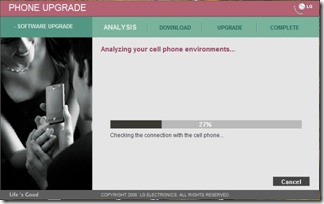

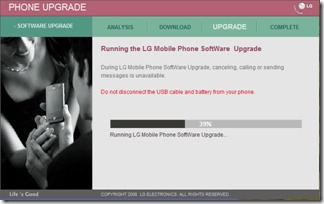
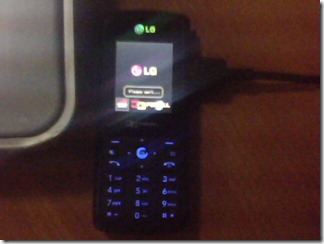
And.. Well It completed all right without any errors. But…
Houston, We have got a problem… Not a single character is displayed now… 
I tried again the same procedure but the same result. This time I copied .DZ file from the LGMobile Updater application’s data directory (This file is deleted as soon as upgrade completes) and flashed using the old LGMDP program yet the same result.
So then I tried flashing the old firmware back in order to rectify the problem.

It goes on Backing up NV…
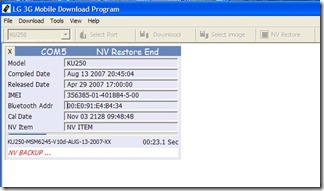
Writing QCBL, AMSS bla bla.. rebooting and restoring NV..
And erasing media…

But there is a problem erasing media files (Since some already open to display Battery charging up/ Battery Full display?) So tried again. This time battery charging is not displayed in mobile and There is a Yellow box over the LG logo saying Refreshing… (Media file missing to boot further?)
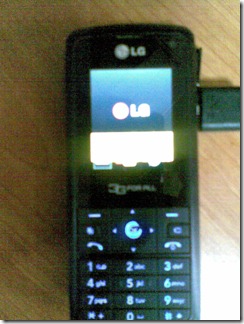
However this goes trough all of the above steps and ultimately up to media downloading…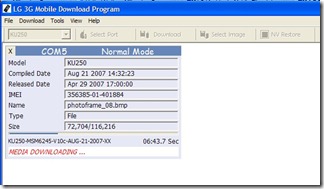
And Module downloading…
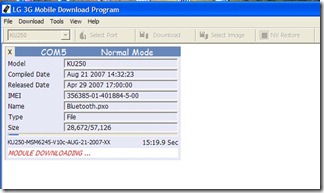
If my memory is correct last time everything went well and flashing completed. But this time luck is definitely not on my side… Module download breaks in middle and phone keeps rebooting again and again… Seems no chance of re-flashing as it is now not even detected in the flasher.  So now I’m in a situation that until I flash those modules, it is not detected and without it’s being detected I can’t flash it…
However, fortunately I can yet go to Emergency download mode with 2+5+Power key combination.

However this time only subset of files is there and No Media Image/ Module Image selection option. So even though flashing completes the problem is not resolved. Then I did Selected Erase EFS option from the dropdown box (There is nothing else I can try right?..  ) and that time it fixed the problem of rebooting. Then I again flashed in normal mode with Erase EFS option On. That time it went all well. and previous Firmware was restored but there was yet a problem that No Wallpaper files or any default media files. (Possible caused by incomplete NV backup - I noticed one with less number of entries in the NV backup directory)
However now I was pretty much sure that you have to delete the EFS in order to flash correctly and I went ahead with .DZ file with Erase EFS option. Phew.. Thank god everything went OK and I got my good old lovely mobile back again with original firmware… Wow.. now Opera Mini 4 works with no problem.. 

Guide to upgrade firmware in LG KU250 (Probably other models as well)
Try new LGMobile Updater Application. But this may end up your mobile screwed up if you are an unlucky person like me.  Remember to copy .DZ file while the flashing is in progress.
If above step had any issues, try re-flashing using LGMDP program with Erase EFS option in NV backup/restore. This will definitely erase SMS, Contacts, Other configuration settings etc. from the phone.
Files:
KU250-V10d-AUG-13-2007-MLY.dz
LGMDP_1_1_.5_Build_12.10_Release.zip
[Posted using Windows Live Writer on Windows 7 Beta.]


 . I didn't feel like printing it just for a one day use. (Not because of Green IT but I’m not a fan of papers) neither I wished to carry my heavy weight laptop. I’m not wealthy enough to have a ‘Smart’ phone either.

 and I could read some slides on the way back and forth home.


